
Make haste, slowly.
Quick summary
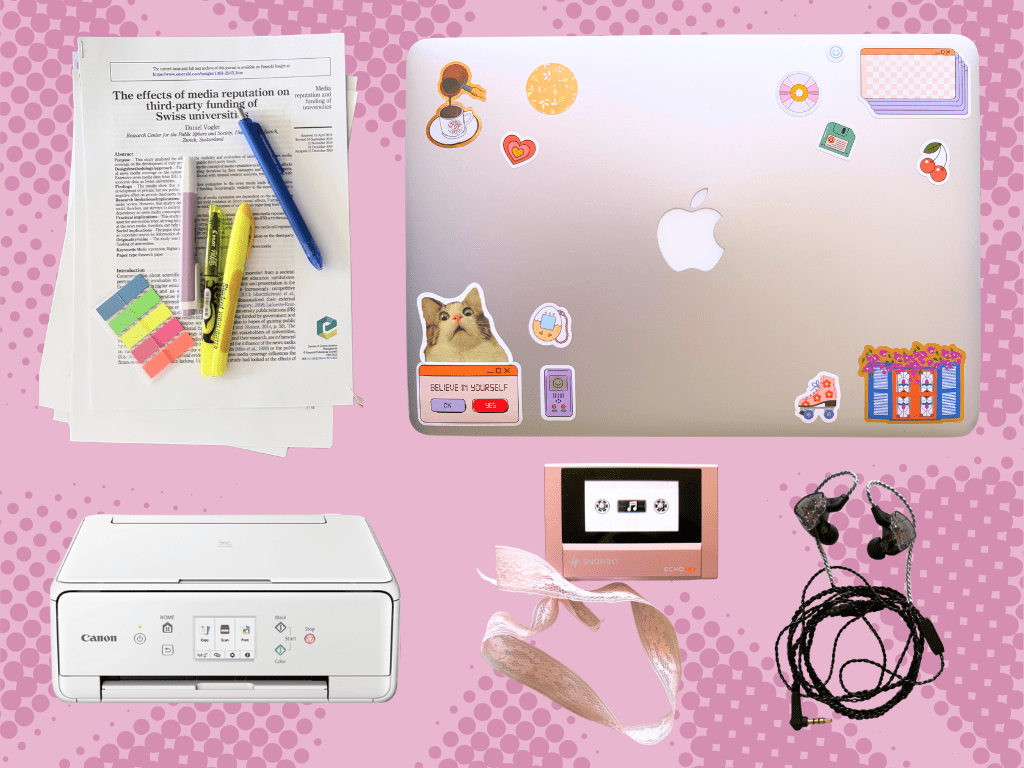
By using older tech, we’re effectively building a dam to control the flood of information, messages, entertainment, notifications, and news. This is what helped me complete my thesis after procrastinating for a long time.
In my last article, I criticized the rise of the ‘analog bag’ trend. For the uninitiated, an analog bag is a tote filled with all sorts of ‘non-tech’ hobby goodies, designed to stop you from scrolling your phone. My argument against the trend (despite being happy that people are rediscovering non-screen hobbies) was mostly focused on its frivolity, as it seemed to focus more on aesthetics than actual self-improvement. A bag full of stuff is impractical, and that is often enough to doom its mainstream appeal.
With that said, going ‘analog‘ (quotation because, these days, this word is used as a synonym for retro/low-tech/tech-free) is not a bad idea at its core. As long as you implement your strategy well, of course.
In this article, I’ll go over the low-tech system (if you can call it that) I used to complete my Master’s thesis, and why I think it works.
The ‘tech stack’
The ‘system’ I used consisted of:
An old, preferably ‘weak’, computer
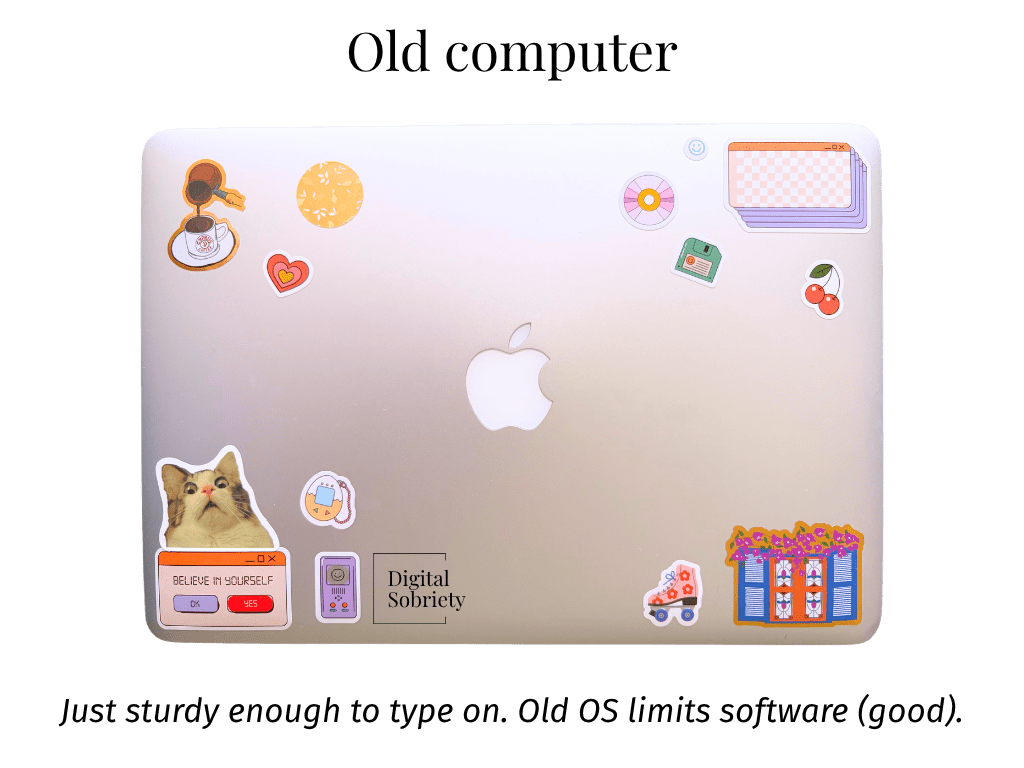
In my case, it’s a MacBook Air 2017 because it’s what I had lying around. The point is to have access to the internet and modern-ish creature comforts, without the super-ease of 2020s gadgets.
Here’s what software I downloaded (your setup will look different depending on the computer and the operating system you’re running, and project you’re working on):
| Software | Downloaded/web | Why |
|---|---|---|
| Firefox | Downloaded | It’s the only browser that runs on MacOS 12.10. |
| OnlyOffice | Downloaded | Runs on the OS. Microsoft Word also supports it, but the sign-in window doesn’t work. |
| Proton Sheets | Web | Encrypted Cloud-based spreadsheets app. I don’t like Google. |
| Zotero | Web | The desktop app “runs” but it doesn’t refresh… |
| ProtonMail | Web | For transferring files. |
A printer
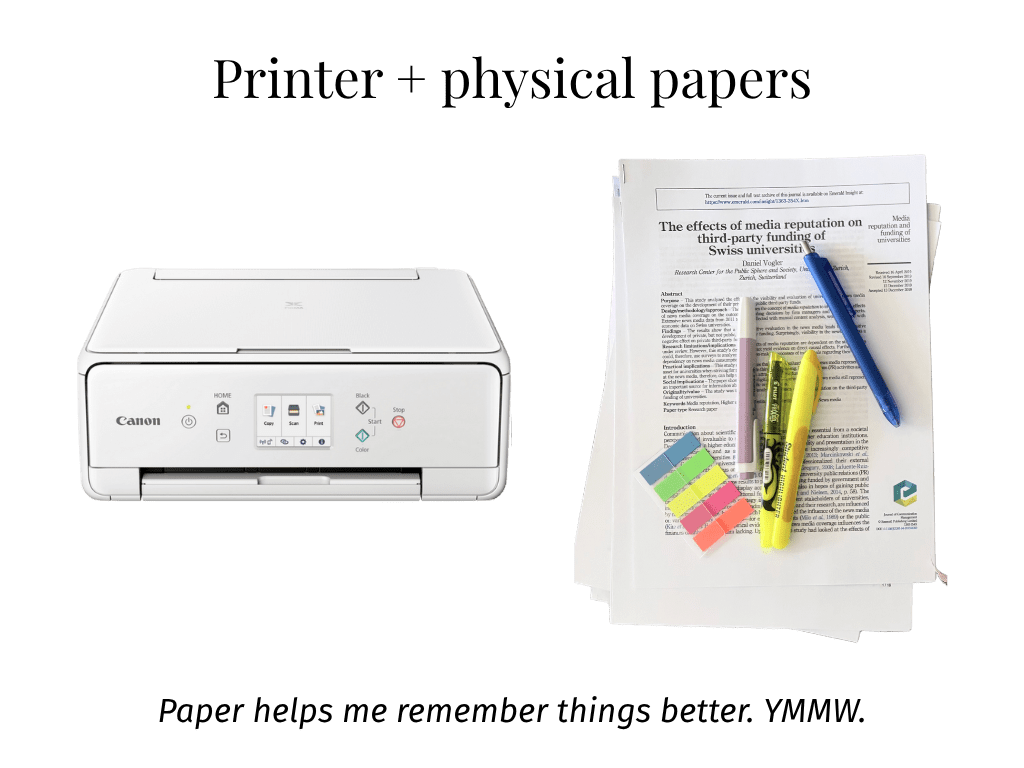
I already had a printer at home, but you can also use your local public/university library for cheaper printing (that’s what I did in the past). If you’re using your own printer, don’t forget to stock up on paper and ink.
You may be wondering why I would go with physical paper, when there are so many electronic options out there. For context, in general life settings, I am digital-first. If there’s a single document that needs to be highlighted or filled out, I’ll do it on my iPad. However, I’ve found that digital doesn’t work for me when I need to work on really long documents involving critical breakdowns of dozens of sources (like a Master’s thesis).
To give you an idea of what I’m trying to say… for my thesis, I was reading through a few different academic studies which used similar methodologies but in different contexts. With digital versions of the PDFs, it was really hard to jump between documents and recall the differences between them. I found myself continuously asking “What did this one say again?” or “Which one was it that had significant results?”. As you can imagine, this is not a very efficient way of analyzing literature. Instead, being able to place the physical papers side-by-side helped me follow and compare them better, and the act of writing of physical paper made it easier to remember what I was thinking about while reading.
Another use case that, at least in my experience, benefits from physical paper is proof-reading. Of course, tools like Grammarly can help with grammar-checking your content, but I find that proof-readreading on paper makes the text sound more natural. We’ve known for years that built-in grammar-checking software affects writing style. This has been an ongoing discussion since Microsoft Word became the de-facto choice for business writing.
An MP3 player with wired headphones
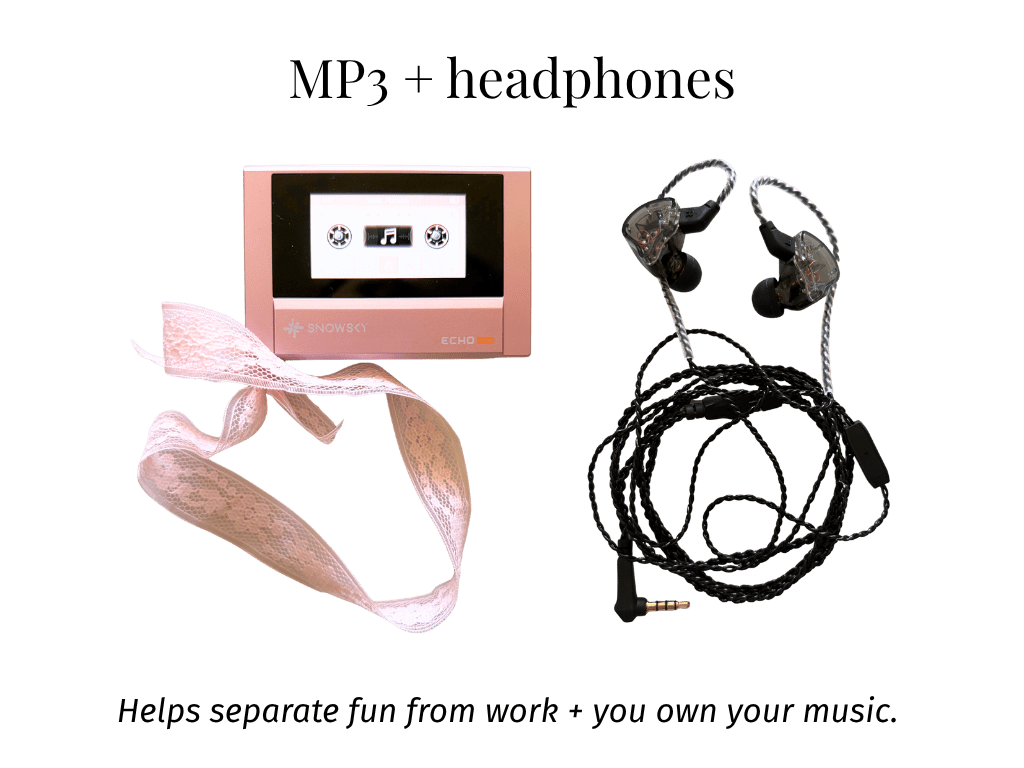
Whether it’s an MP3 player or an iPod, or if you prefer Bluetooth over wired, is up to personal preference. The point is to have an ‘external’ source of entertainment so you don’t unintentionally drifting towards your phone or YouTube.
(P.S. If you’re curious, the MP3 I’m using SnowSky Echo Mini. I’d love to be able to say that I bought it because of some specific qualities… but that’d be lying. It’s just so damn adorable.)
And that’s about it. If you were involved in any professional or educational activities at any time prior to late 2010s, that is basically what we’re emulating. Low-tech, but modern enough that we’re not manually rewriting notes.
I’m NOT here to argue that this is some transformative system. Quite the opposite. It’s a proven system that works. Simple, effective, straightforward. That’s the whole point.
Why this system works
There are a few things that, in my opinion, made this system effective.
Fighting the urge to multitask with single-purpose devices
No matter how many research papers show that trying to multitask negatively affects work performance, and that doing one cognitively-intensive task at a time is way more efficient, we are still somehow obsessed with trying to brute-force our way into cramming more work into the same amount of time.
However, even if you’re not intentionally trying to multitask, chances are — you probably are, anyway. The society we live in has been built on technology that, by design, involves multitasking. We use our phones for everything, and managing every facet of our lives (professional, health, social…) from a single device is a recipe for distraction. Every day, we’re bombarded by notifications, overlapping calendar bookings, million software and security updates, spam emails, scam callers, and all other wonderful things that make our the digital world go round. Some of these things you probably want to block out altogether, but others are somewhat important. However, the importance of each, let’s call it ‘life update’, depends on the context and timing. Of course you would want to keep receiving messages from your mom, but are they more urgent in this particular moment, than a meeting with a client that’s starting in 3 minutes? Maybe, maybe not, but the problem is that this is all subjective, and this changing order of priorities means that you kind of have to keep track of all notifications to stay on top of things. Or do you?
Single-purpose items help you create a physical barrier between different parts of your life. Maybe you like having the creature comfort of a modern phone for the security updates, Face ID unlocking, two-factor authentication, bus ticket, mobile banking, etc., but you would prefer to have a separate device for watching movies or playing games. In the context of this article, having an older computer helped me separate my ‘fun’ PC with all the Steam games from the ‘focus time’ beater computer, where I can write without distractions of the modern-age internet.
The light bulb truly switched on for me when I first got my e-reader. That was the first time I decided to splurge on a single-task device. In the moment, it felt like a waste of money, because I could already read on my iPad. However, my buyer’s remorse was instantly gone when I first booted up the device… what I felt could only be described as ‘peaceful’… It felt good knowing that, when I pick up that e-reader, I won’t receive any notifications, I won’t hear any background noises, and there were no web distractions to be seen. It was just me and the book. And I knew I was onto something in this line of thinking. (For the record… yes, I’ve read plenty of e-books on my iPad and iPhone before, and if you can’t afford a separate device, even a second hand one, it’s not the end of the world. But if you can afford it, it’s worth it, in my opinion). Of course, you can get the same experience with physical books — and I get plenty of those too — but I am on planes/trains a lot, and an e-reader is lighter and less cumbersome to carry around.
Efficiency vs effectiveness
These two terms are often used interchangeably in day-to-day conversations, but in management science, they are very different.
- Efficiency is doing something with the least waste of resources (time, money, etc.).
- Effectiveness is doing the right thing to achieve your goal.
You could argue that modern tech makes you more efficient, because it removes friction. Google overtook Yahoo! as the dominant search engine because it provided a simplified web search experience compared to the UI mess Yahoo! offered at the time.
Unfortunately, sometimes this strive for optimal efficiency makes us go full circle, where we waste more time trying to create a system for completing a task, than it would’ve taken to just do the task. Which is why people fall into the self-help/productivity app rabbit-hole, or why developers spend eight hours writing code to automate a 30-min task. For a ‘fresh’ example of this, you can just look at managers forcing their employees to embed AI into every single possible task they’re working on, without any regards for whether it makes sense to automate those tasks or not (and that’s without even opening the Pandora’s box of AI chatbot overuse leading to a decline in cognitive abilities and burnout).
In essence, having so many options to ‘optimize’, creates a feeling of FOMO: that you’re not good enough, not productive enough, that you’re ‘falling behind’ and that you’ll be replaced by people who do have the better tools.
Old tech can help you break away from this trap, because these gadgets limit your options, and force you to just get things done.
Note: I want to emphasize that this is the reason we’re going ‘retro’ tech, not discarding technology altogether (although, if your workload allows it, and it helps you work better, feel free to do that as well). These days, bean counters don’t have to manually manage every financial transaction, graphic designers don’t have to spend hours masking images pixel-by-pixel, and game developers can create games more easily thanks to advancements in technology. The goal is to limit yourself to ‘just about useful to complete the work I need to do’ level of tech — this is the easiest way to find balance between ‘helpful’ and ‘distracting’.
Jank forces you to slow down
The computer I’m using is almost 10 years old. The screen was outdated even when the device first came out, apps and browser tabs take longer to load, and Safari completely stun-locks the system (yes, you’ve read that right, Apple’s own browser completely breaks the computer — Firefox is the only browser that works on this version of MacOS). The experience is not as snappy as my M2 Air, to say the least. But that’s the point.
Part of the reason we get sucked into distractions and passive media consumption is the buttery-smooth, friction-less experience of modern devices and platforms. 120Hz display makes you want to look at it. Your phone’s pretty animations make you want to keep swiping. TikTok auto-plays videos when you boot up the app. You can jump from app to app at lightning speed, and this simple fact makes it soooo much easier to overuse technology.
Of course, not every piece of retro tech is janky (case in point: IBM’s legendary Model M keyboard is still going strong even 40+ years later). But in the realm of computers, you’ll probably encounter a little bit of lag or clunkiness, and that’s okay. Use the extra loading time to grab a coffee, stretch your legs, or just stare at a wall. I use these slots of time to slow down, relax and appreciate the fact that I’m alive and well.
Some questions that popped up as I was going through this process
What if you have to run power-intensive tasks?
If your studies require power or modern software (local LLMs, 3D modelling and animation, etc.), you should treat your ‘power machine’ as a separate machine from your ‘research and writing machine’.
For example, I had a script running which involved some local LLMs and SLMs (small learning models) in a few multi-day sessions. Then, the data was analyzed through different computing software. That part was unavoidable.
Once I had the data, however, this slower experience was a great way to create a real barrier between ‘work’ and ‘entertainment’.
How do I download old versions of software?
Depending on the computer (and consequently, the operating system) you end up with, the newest version of software may not be supported.
One solution for this is to find the Update/Version History page of the software, and do some Googling to find which legacy version works on the OS you’re running. For example, I’m running MacOS Sierra (12.10), and OnlyOffice conveniently provides a version option on their main Downloads page. Other times, you may need to do a little bit more digging.
Unfortunately, sometimes there may not be a working version of a software (at least one that you can obtain without piracy) that you can run on your machine. Sometimes it’s not even down to the software not being available, but the fact that it doesn’t run for some other reason. For example, I was able to download an old Microsoft Word version, but the sign-in box just never loaded in properly. Zotero had a version that would work on Sierra 12.10., but the source list just wouldn’t refresh. In these cases, just use the web version of the platform (I wrote this article on the web version of WordPress, and it was great!). Most desktop software these days are basically web apps anyways, so there’s high likelihood that it’ll work just fine in a browser.
Note: If you’re more technically inclined, you may be able to install a fresh Linux distro, which should in theory give you access to modern software. However, that sort of defeats the purpose of having an ‘outdated’ device.
I only have one computer, and it’s not old. What are my options?
The point of this approach isn’t to spend money (you can if you want to, but that’s not the goal), but to make do with what you have.
If you don’t have an old machine at home, here are some ideas on what you can do:
- Ask your family. Maybe your parents, uncles or grandparents have a retired ‘house computer’ lying around somewhere.
- Make a post in your local Facebook Group. Facebook Groups are a treasure trove of helpful middle-aged people who are looking to get rid of stuff.
- Ask on your city’s subreddit. Reddit users skew techier than the wider population, and chances are, there’s at least a few people in your area who have a beater computer stowed away in their basement.
- Check out Facebook Marketplace. There are almost always people willing to give away free stuff on there.
Bottom line
These days, tech is lighting fast. Computers process information much, much faster than our cavemen brains. But just because we can process information faster, doesn’t mean we should do it. ChatGPT can spit out an essay in seconds, but is it actually worth anything if it’s just regurgitating existing information without the ability to critically evaluate its own output within the larger context of your experience and the environment the paper will be published in?
All in all, using old tech made me happier and more productive long-term, because it forced me to prioritize effectiveness over efficiency, and they gave my brain the space to breathe.
By using older tech, we’re forcing ourselves to slow down and truly process the information we’re working on. This approach not only makes the final work better, but it also improves our own execution and evaluation chops long-term (which is now more important than ever, given an increasing body of research that shows that using generative AI sacrifices long-term cognitive abilities for short-term productivity gains).
As the old adage goes… festina lente. Go fast, slowly.


Leave a Reply