

Here’s a step by step on how to reset your relationship with technology.
Step-by-step

Analyze
Reflect on how much of your screen time is actually adding to your life.
- Look at your screen time (today, this week and past weeks)
- Check how many notifications you get from different apps*
- Think about how algorithmically driven apps make you feel: happy, sad or anxious?
- Reflect on how much of your screen time is actually productive**
- Establish which apps are non-essential for your personal life, school or work
* You can find this information easily via Screen Time on iPhone and Notification History on Android.
** Productive = quality time/beneficial to your life.
Purge
Delete all non-essential apps from your phone for a month.
- Remove all non-essential apps from your phone
- Keep them uninstalled for a month*
- Make Do Not Disturb your default**
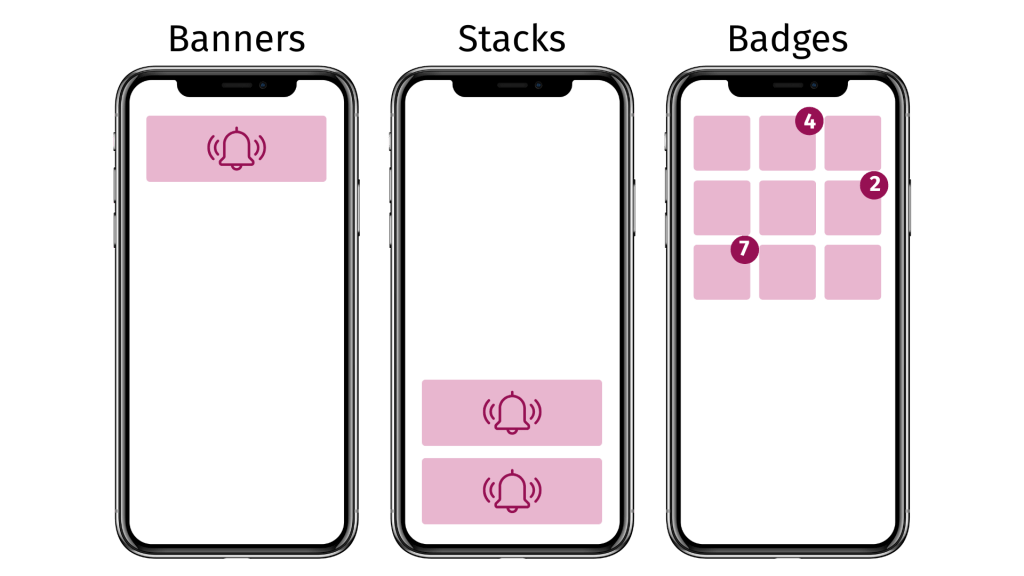
- Turn off notifications: banners, stacks and badges
- Delete work email/messenger off your personal phone
- (Optional) Remove your personal email apps
* It needs to be a full month. At two weeks, you’ll still be feeling withdrawal symptoms.
** You can set up which contacts and apps can get through (for emergencies).

Limit
Establish your goals and set firm boundaries on your usage of apps.
- Decide which apps will actually support your life goals
- Set boundaries for apps you want to reintroduce (location, time, purpose*)
- Turn on Scheduled Summary
Reintroduce
Only introduce apps that align with your life goals.
- Download only apps that will help you pursue your goals
- Decentralize your use: use an e-reader, real camera, or a physical clock

Maintain
Make it easy to stick to your goals and do revisions as a part of your lifestyle.
- Do regular check-ins and evaluations of your use
- Make it a habit to delete apps and go on “detoxes”
- Make more social commitments
- Use behavioral activation to develop positive motivation
How to make your make your phone less appealing
- Put it into greyscale mode*
- Turn on Reduce Motion, Reduce Transparency and Increase Contrast
- Clean out your home page and leave bare minimum apps
- Get a privacy screen protector**
* You can set up a shortcut (triple click of the Power button on iPhones) to switch between Color Filters if you need color for something.
** This, combined with DnD will help you not get distracted by notifications when your phone is in your peripheral vision.
Some examples of the “After” photos

 Digital Sobriety
Leave a comment